Summary
Apple has started rolling out iOS 27 and parallel updates for iPad, Mac, Apple Watch, Vision Pro and Apple TV. The releases add Siri AI in beta, new Apple Intelligence features, expanded child-safety controls and performance improvements.
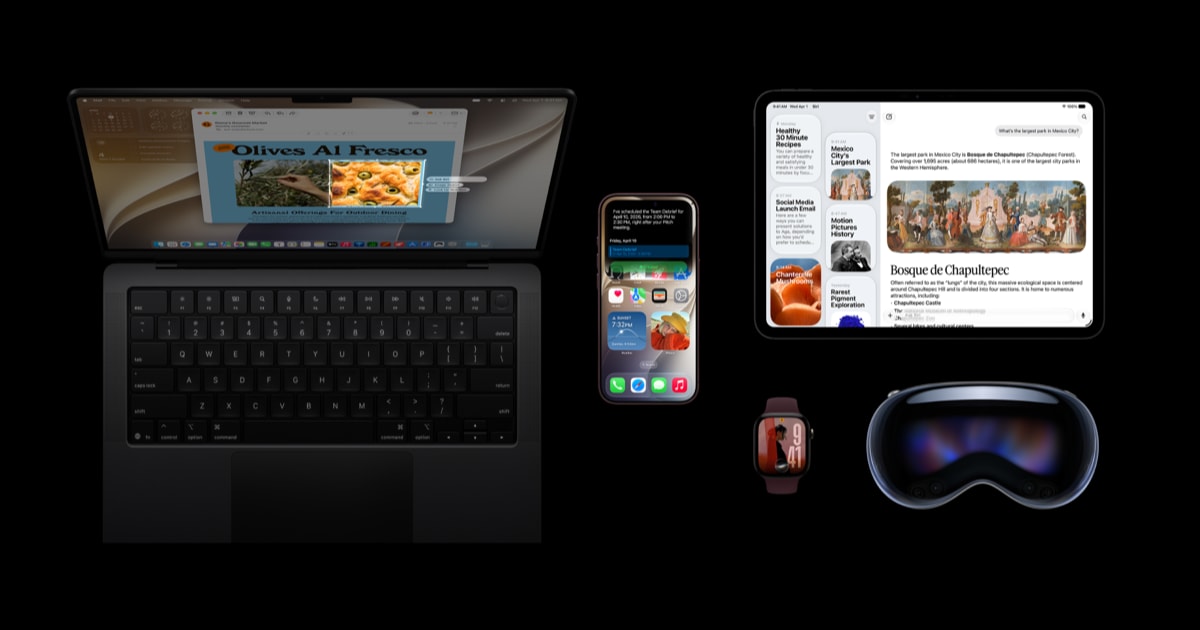
Apple has started rolling out iOS 27, alongside iPadOS 27, macOS 27, watchOS 27, visionOS 27 and tvOS 27. Announced on September 14, 2026, the releases introduce Siri AI as a beta in English, add new Apple Intelligence features across several apps, redesign parental controls and bring performance, connectivity and interface changes across Apple’s product ecosystem.
Contents
- Siri AI expands Apple’s on-device assistant
- New controls for children’s accounts
- Performance and platform changes
- Availability and supported products
Siri AI expands Apple’s on-device assistant
Apple describes Siri AI as a new version of Siri powered by the next generation of Apple Intelligence. It is integrated into iPhone, iPad, Mac, Apple Watch and Apple Vision Pro, with capabilities including personal-context understanding, onscreen awareness, broader web knowledge and more systemwide actions.
Siri AI can search across information such as messages, emails and photos to help locate relevant content. It can also answer questions about what is displayed on a device’s screen or use the web to generate answers containing up-to-date information. On iPhone, a new Siri mode is integrated into the Camera app, allowing the assistant to interpret objects or scenes in front of the camera and take actions such as splitting a bill or adding a custom pass to Wallet.
Visual Intelligence extends similar screen-based interactions to iPhone, iPad and Mac. On Vision Pro, users can ask questions and take actions by looking at their surroundings. A new Write with Siri function can generate a draft or refine existing text, while a dedicated Siri app uses iCloud to sync conversation history across Apple devices.
The beta begins in English. Apple says French, Japanese, Korean, Portuguese and Spanish support is scheduled to arrive in October.
Apple Intelligence also adds new tools to existing apps. Photos gains Spatial Reframing, Extend and an upgraded Clean Up tool. Image Playground supports image creation in styles including photorealistic output, with image metadata and planned support for the SynthID standard to help identify AI-generated or edited images. Safari can organise tabs by topic, notify users about changes such as restocks or price drops, and create custom extensions from a description.
New controls for children’s accounts
The updates add a new setup flow for child accounts, allowing parents to choose which apps are available initially and add more later. Ask to Browse can require approval before a child opens a new website in Safari, while parents can approve contacts individually.
Apple also says Communication Safety can now detect and intervene when gore or violent content appears in shared images or videos. The redesigned Screen Time interface shows average device usage and frequently used apps at a glance. Parents can set daily allowances for Entertainment, Games and Social Media apps, and use schedules to control access at different times of day.
Performance and platform changes
Apple reports faster performance across its devices. On iPhone and iPad, it says apps launch up to 30 percent faster, photos load up to 70 percent faster after being taken and AirDrop transfers are up to 80 percent faster. On iPad, browsing files and transferring them to an external USB drive is reported to be up to five times faster.
These figures come from Apple’s own tests using specific devices, software versions, workloads and conditions. The tests included an iPhone 11 Pro Max for app launches, an iPhone 15 with a 50,000-asset Photos library, an iPhone 16 Plus transferring 30MB of photos through AirDrop, and an M4 iPad Pro handling 10,000 JPG files on an external APFS-formatted USB 4 SSD.
The releases also improve transitions between cellular and Wi-Fi networks, allow messages to continue sending while large media files are delivered in low-bandwidth conditions, and add new search ranking in Mail. Liquid Glass gains a Settings slider that lets users adjust its appearance from ultraclear to fully tinted.
Other changes include full-resolution iCloud Shared Albums contributions from Android and Windows users, perimenopause and menopause support in Cycle Tracking, custom EQ for AirPods, enhanced AI-assisted Flyover imagery in Maps, new Smart Stack suggestions on Apple Watch, spatial scenes from panoramas on Vision Pro, and high-resolution lossless audio support for Apple Music on Apple TV.
Availability and supported products
Siri AI begins as an English-language beta, and Apple says features can vary by language, region and local regulation. Mac and Vision Pro users in the European Union can access Siri AI in a supported language, while the feature is initially unavailable in iOS, iPadOS and watchOS there. Apple says Siri AI and the other new Apple Intelligence features will not be available in China while it works through regulatory requirements.
For Apple Intelligence and Siri AI, Apple lists iPhone Duo, iPhone Air, iPhone 16 models or later, iPhone 15 Pro and iPhone 15 Pro Max; iPad mini with A17 Pro; iPad models with M1 or later; MacBook Neo with A18 Pro; Macs with M1 or later; Apple Vision Pro; Apple Watch Series 9 or later; Apple Watch Ultra 2 or later; and Apple Watch SE 3 when paired with an Apple Intelligence-enabled iPhone. This is Apple’s compatibility list for the AI capabilities rather than a complete device list for the iOS 27 update itself.
Some server-side Apple Intelligence features have daily usage limits that can vary with the feature, request complexity, system demand and other factors. Apple says expanded access will be available for a fee in the future. Siri AI is not available for users under 13.